Include GitHub Copilot in VSCode setup in MCP guide
Just that: the MCP guide includes instructions for setting up via a number of paths, such as Claude and GPT, but not GitHub Copilot in VSCode. I use this solution as I host the supademo’s on our website that I code/manage via VSCode.
If it helps, it’s pretty straightforward:
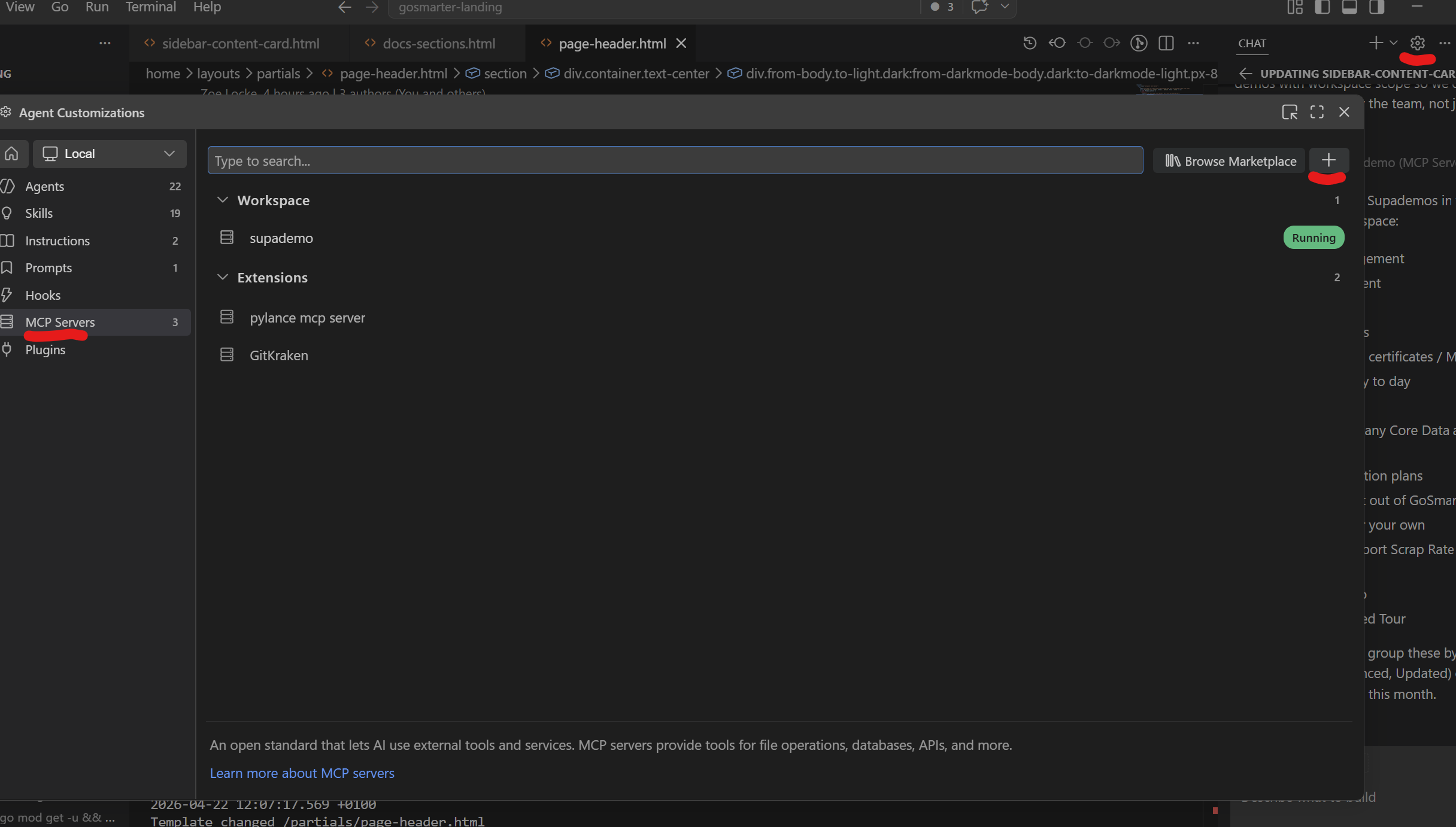
1 - Open Customisations via the gear in the chat window,
2 - select MCP Servers,
3 - hit plus
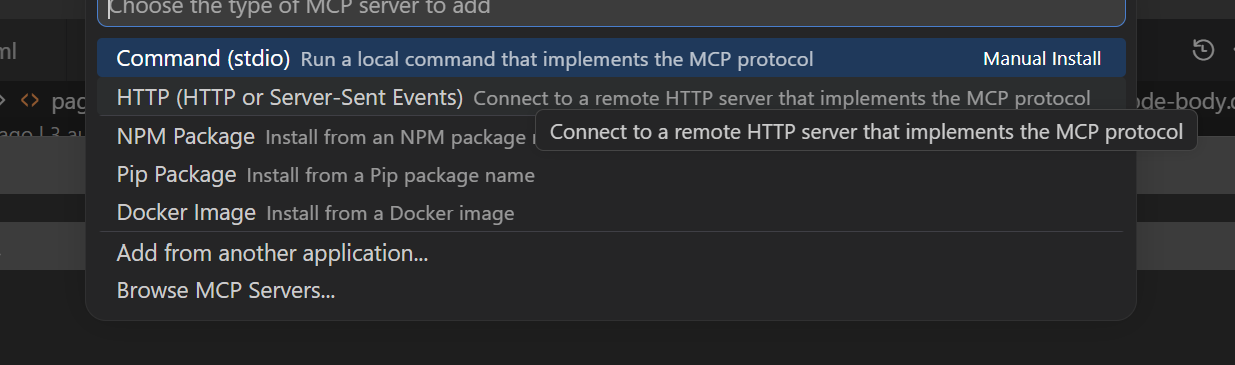
4 - Choose HTTP
5 - Enter the URL as shown in the other guides
6 - Enter a name for the connection
7 - Select Global or Workspace
Log in to comment and vote
No comments yet
Be the first to share your thoughts.